
Learn how to use scripClip's Return to Stock feature to quickly locate and remove prescriptions from will-call.
scripClip's Return to Stock feature allows pharmacy staff to quickly search for prescriptions that need to be pulled from will-call. Prescriptions can be found based on a set of criteria such as days since prescription fill, NDC numbers, prescription number and more. scripClip will locate all bags that fit the criteria allowing staff to quickly and efficiently pull prescriptions out of will-call for processing back into stock.
This article walks through how to search for, locate, and check out prescriptions using Return to Stock.
Returning to Stock using Days in Will-Call
- Open the Return to Stock page by clicking on the icon in the lefthand navigation column. Alternatively, use the hotkey "Alt+R" to quickly navigate to the page.
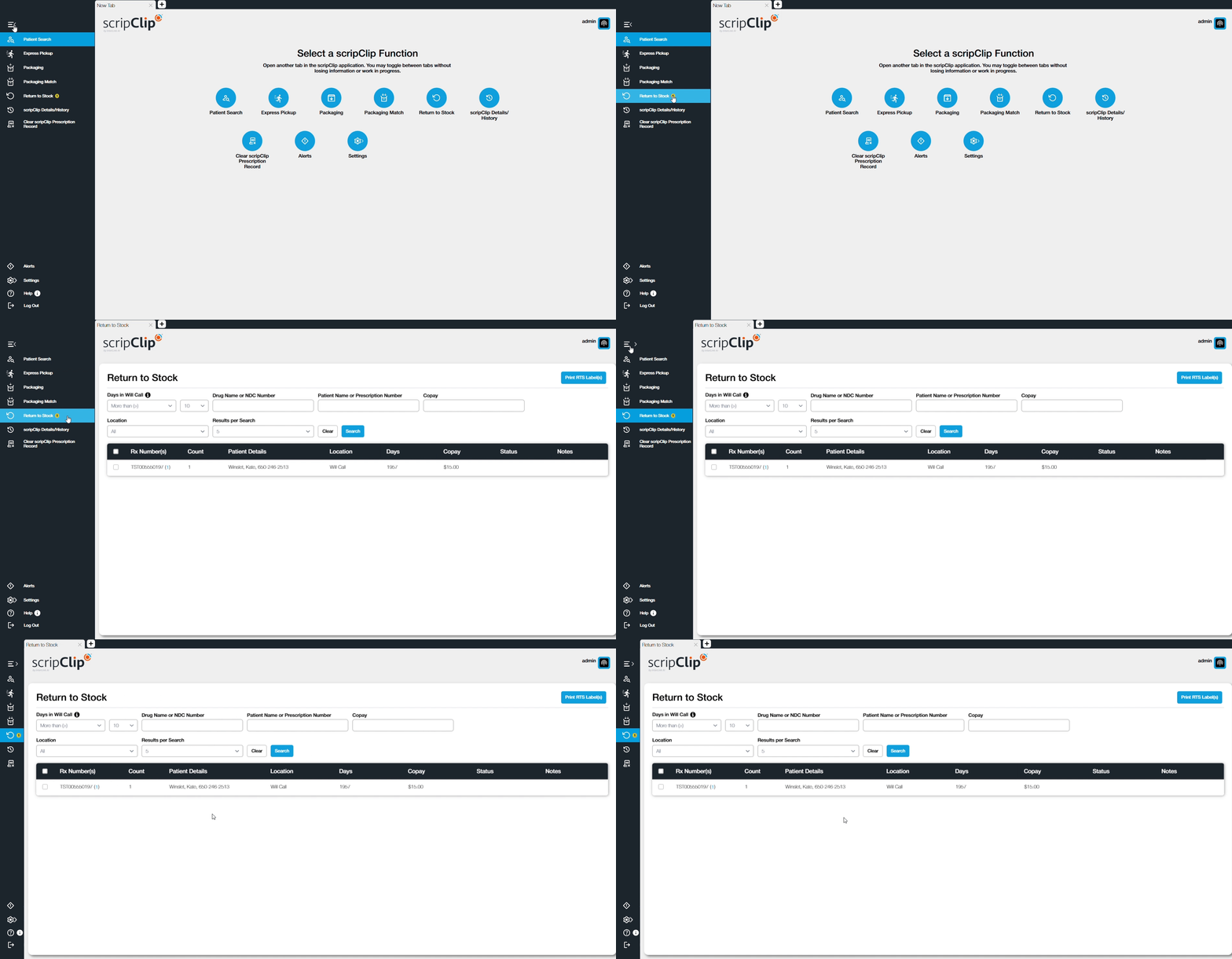
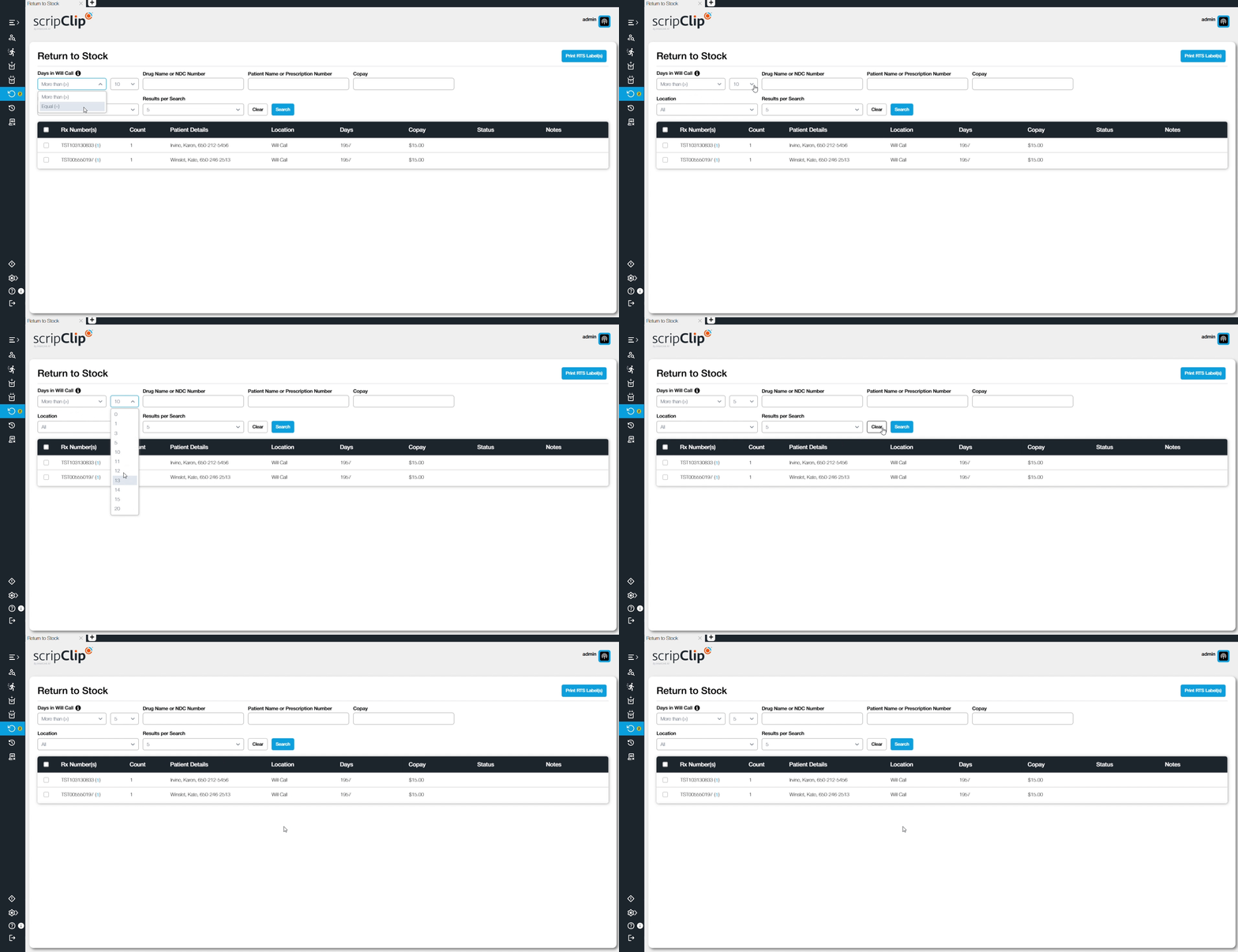
- On the top of the page use the two fields to select if you would like to search by "more than" or "equal to" the set number of days in Will-Call. The days in will-call is typically based on the fill-date of the prescription, but some pharmacies use the date that the prescription was checked into scripClip.
- Click the “Search Button” and results will be added to the table.
- Select the prescriptions that you would like to locate by clicked the checkbox next to each prescription. Optionally, click the check mark next to "Rx Number(s)" to select all prescriptions.
- Click “Locate” or “Locate With Sound” to locate the selected package(s).
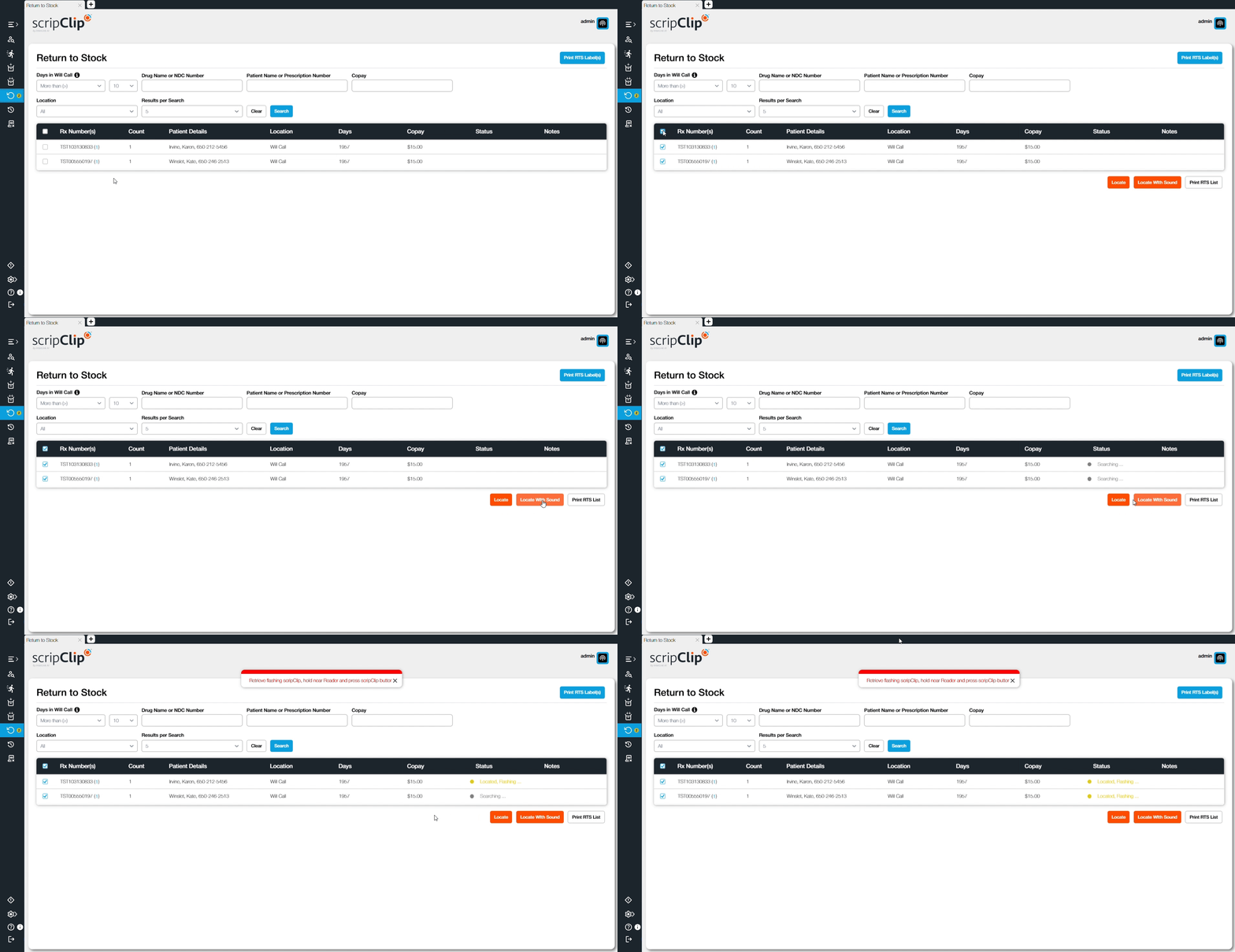
- Retrieve the scripClips that are being located and bring them to the workstation.
- Click the orange button on the scripClip to check out the prescription. Repeat for all scripClips that were located.
Tip: The default setting for "days in will-call" can be customized. If you would like to adjust that setting please reach out to a scripClip staff member.